

/Task%20Automation.png?width=90&name=Task%20Automation.png)


ForgeScribe
Every organization produces the same documents on a cycle. Compliance filings, regulatory submissions, client reports, program reviews, audit documentation — the structure is known, the sources are established, and the review process is set. What changes is the data. ForgeScribe connects to your live data sources, fills your existing templates, and puts your team in the position of reviewing and approving rather than writing from scratch.
The more frequently your team produces a given document type, the faster the return.
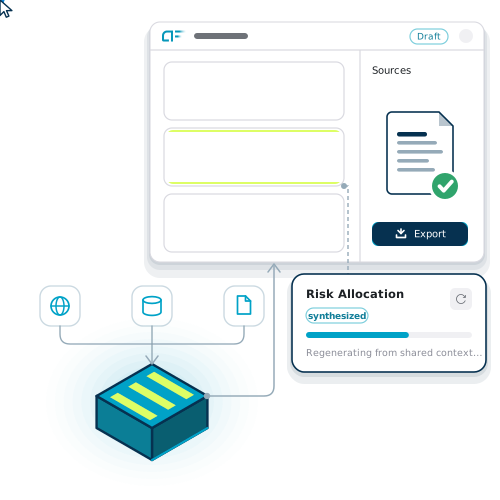
GENERATE THE DOCUMENT. SKIP THE DRAFT.
The documents that take the most time are usually the most predictable.
ForgeScribe is designed for documents with consistent structure, known data sources, and a defined review process.
/shield-checkmark.png?width=60&name=shield-checkmark.png)
Documents that must meet specific regulatory requirements, follow prescribed formats, and maintain data lineage for audit purposes.
Examples:
-
Environmental compliance reports
-
Regulatory filings and submissions
-
Safety incident documentation and investigation reports
-
Audit-ready compliance summaries
/Inclusiveness.png?width=60&name=Inclusiveness.png)
Documents produced on a regular cycle for clients, with consistent structure and data drawn from live client records.
Examples:
-
Client portfolio and performance reports
-
Periodic account summaries
-
Renewal and policy documentation
-
Progress and status reports
/calendar.png?width=60&name=calendar.png)
Documents produced on a recurring organizational cycle, with consistent structure and sources that update each period.
Examples:
-
Annual reports and summaries
-
Accreditation and certification submissions
-
Grant and funding reports
-
Board and stakeholder packages
/operational%20efficiency.png?width=60&name=operational%20efficiency.png)
Documents produced internally on a recurring basis — maintenance records, operational summaries, internal audits.
Examples:
-
Maintenance and inspection summary reports
-
Operational performance summaries
-
Project closeout documentation
-
Internal audit reports
FOUR STEPS FROM DATA TO DOCUMENT
/database.png?width=72&name=database.png)
ForgeScribe connects to the data sources your documents draw from. No manual exports, no copy-pasting figures into templates. When the source data updates, the generated document reflects it.
/sliders.png?width=72&name=sliders.png)
Your existing templates, institutional style, and approval requirements are the starting point. ForgeScribe generates output that follows your specific structure, no need for reformatting.
/file-plus.png?width=72&name=file-plus.png)
When a document is due, ForgeScribe pulls from connected sources and generates the first draft. For recurring document types, this step can run automatically on schedule.
/check-square.png?width=72&name=check-square.png)
Your team reviews output rather than producing it. Reviewers see the document, the source data it drew from, and the version history — everything needed to approve with confidence or edit with context.