-
What We Do
-
AI NavigatorGain clear direction and momentum as your chart your organization’s AI path.
-
AI FoundationsEstablish the essential skills, systems, and mindset to support sustainable AI adoption.
-
Agentic AI LabExplore, prototype, and refine agent-driven solutions to accelerate real-world impact.
-
GovLabAdvance government innovation with practice AI solutions tailored to unique public sector needs.
-
-
Featured
 The AI Agent Advantage: Understanding Your Digital Workforce
-
Some Industries We Support
-
Featured
 Building Canadian Communities with Homegrown AI


The Chat Box is the New Command Line
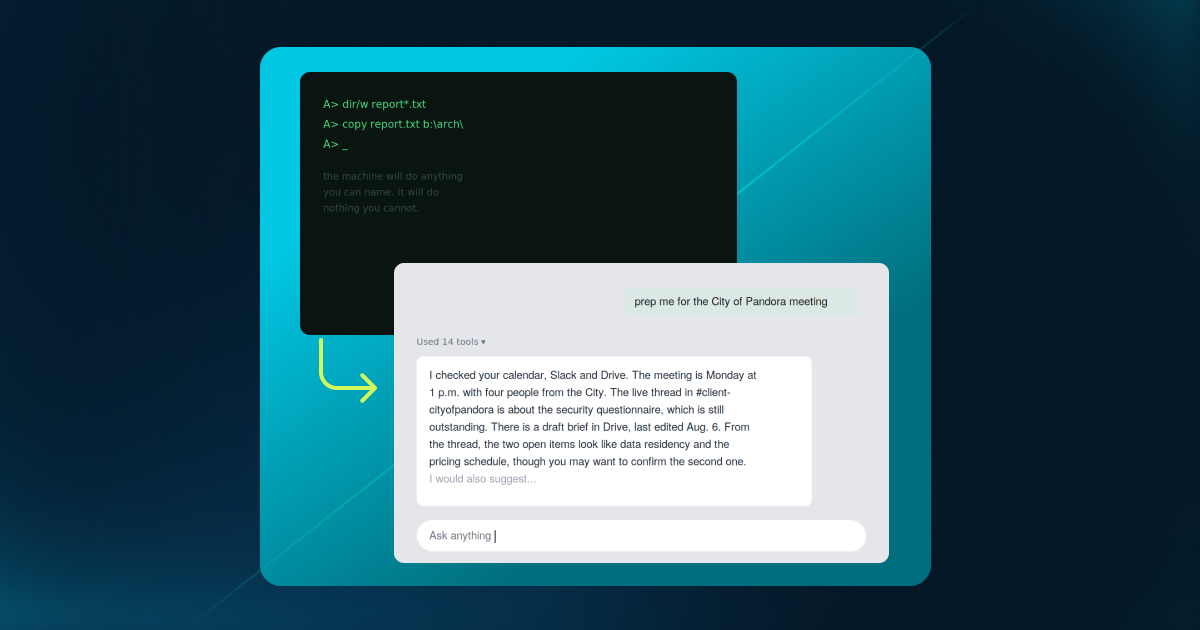
Every few decades, computing undergoes a fundamental shift. Business to personal computing, Desktops vs. handhelds, etc. Similarly, how humans interact with a computer has historically changed as well—think Command line vs. Graphical User Interface (GUI.) During these periods of transition, emerging technologies often arrive wearing the clothes of their predecessors, retaining familiar interfaces even as the underlying technology changes. We are experiencing this transition now. Despite having access to a newer, more powerful form of computer (an LLM-driven computer), we continue to interact with it through a text-based interface, issuing one request at a time. We at AltaML firmly believe this is poised to change, and soon.
Some History
1983: The Whole System
The command line was both complete and unstructured. The machine could perform virtually any operation that could be expressed as a command, but it provided little guidance about what to do. The user manuals were massive and the user had to supply all information to get the machine to do… anything(within its capabilities).
1984: When Computing Last Changed Shape
The command line was a complete interface. Anything the machine could do, you could ask for, provided you knew how to express it. That completeness came at a cost: you had to hold the system’s logic in your head (or a very large manual) and begin each task from scratch.
Then the screen changed, and within a decade, the argument had been settled.
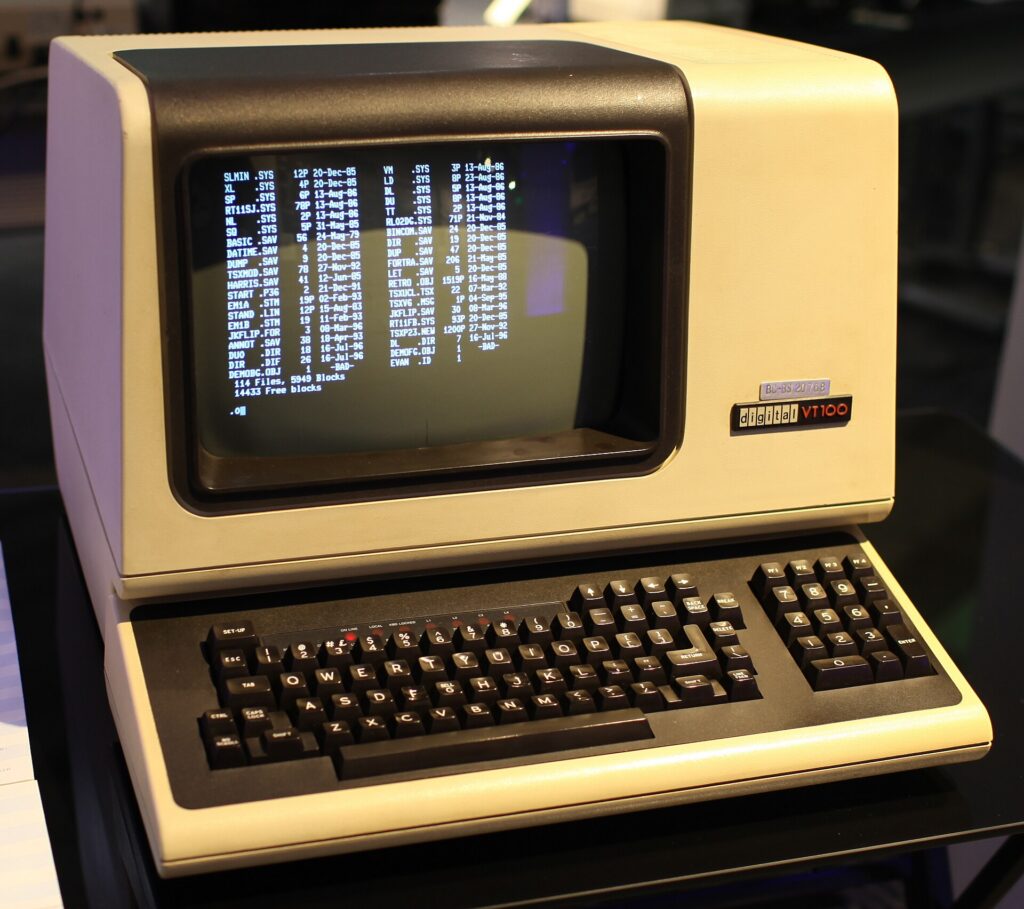
The DEC VT100, introduced in 1978, placed green text on a black screen. You typed a command, it returned a response, and the session effectively ended when the interaction did.
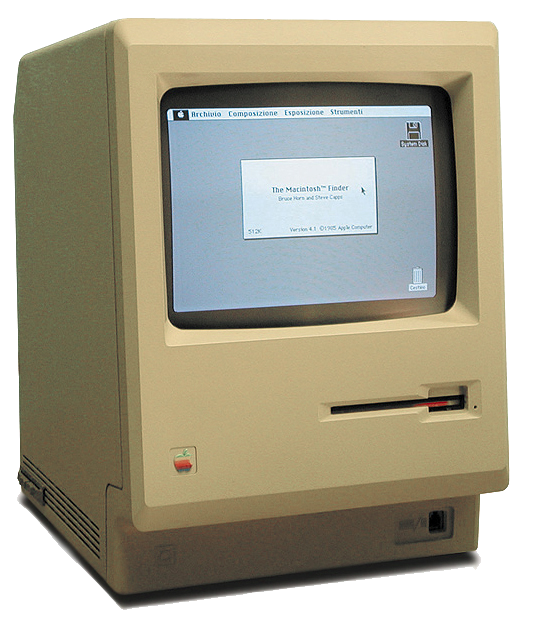
The original Macintosh (1984) had a slower processor and less memory, yet it succeeded because it made your work visible. You could see what you were doing, interact with it directly, and point to the thing you wanted to change.
Three changes made the difference:
1. Commands you had to memorize became objects you could see, point to, and manipulate.
2. One task at a time, in sequence became multiple tasks held together by the system.
3. Instructions for doing the work became the work itself, directly visible and manipulable.
The desktop made capability visible, and that visibility is what made computers accessible to a much broader audience, ushering in an era of innovation leading to other amazing innovations like the internet, iphone, etc. But this was made possible only because of how this technology, which was initially reserved for very few, became accessible for the masses to use without fear or concern.
2023: A New Form of Computing
Forty years later, and we are right back where we started.
With the widespread adoption of LLMs, and more recently the agentic systems built on top of them, the user is once again required to express detailed intent and provide complete context, even with interfaces as capable as MCP. Up until now, they have failed at greatness because humans still have to work with an agent, instead of having their agent, or computer, do the work for them.
2026: The Interface at a Turning Point
Two forms of AI dominate today, and both are terminals in disguise.
The Sparkle Button
AI increasingly arrives as a feature bolted onto software you already use: a button in the corner of your mail client, ticket tracker, or document editor. It can make individual tasks faster, but it leaves the underlying structure of your work largely unchanged. You still move from Slack to your inbox, then to your calendar, then to the ticket tracker, and are responsible for carrying some critical context between each system yourself. The machine may be faster, but the workflow remains fundamentally the same.
The Chat Box
Or AI arrives as a single text field with everything behind it, including connectors. It offers enormous capability, yet almost no structure. You have to know what to ask, phrase it effectively, interpret the prose it returns, and maintain the state of the work yourself between turns. Read that description again and it starts to sound remarkably like 1983, just with better technology.
From Prompting to Curating
The shift that matters is a change in who holds the thread of the work. It becomes visible in the smallest interactions:
| From | To |
| A prompt you retype (or run as a scheduled job) every morning | An objective that stands until it’s met |
| AI that assists you inside your apps | AI that assembles the surface around the outcome, then dissolves it when the work is done |
| A transcript you scroll back through | Surfaces you can point at, where the state lives in the room instead of the scrollback |
| One assistant you supervise turn-by-turn | A fleet of small, scoped agents working in parallel, reporting into one place |
| AI that answers when asked or executes tasks you have given | AI that’s already done the first pass, and shows you exactly where to look or what to do next |
Underneath all five is the same economic reality: your attention is now the scarce resource. Today’s software spends it lavishly, asking you to babysit several agents and agent turns, read a wall of text and then swap between a dozen apps and agents, burdening you with a context switch at every step. The point of this shift is to orchestrate that integration for you.
What is a GUI moment for Agents?
Here is what we think:
Surfaces — objects with a location. A conversation log is a long scroll of mind-numbing text where everything scrolls away and nothing has a stable address (how many of us have returned to our previous chat session, unsure of what happened here or even if this was the right session). Work, by contrast, needs persistent places you can return to and hand off to someone else.
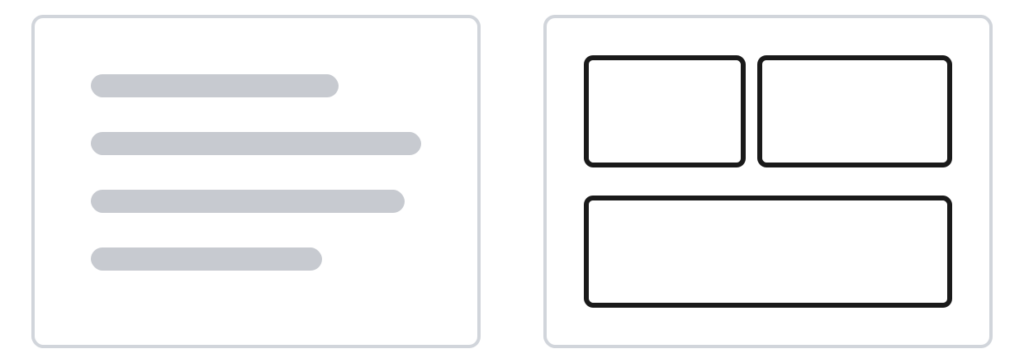
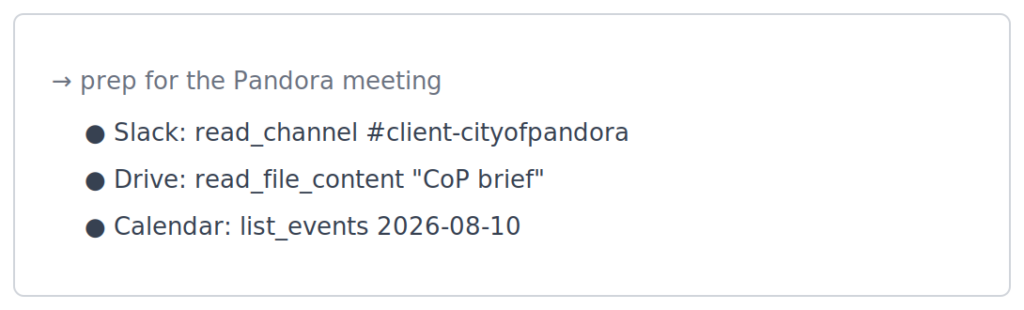
Trust — every call, with its arguments. An agent that simply summarizes or cites specific sections is asking to be trusted. An agent that shows the work in easily digestible format is offering to be checked. That is what allows users to delegate with confidence instead of being forced to audit every result themselves.
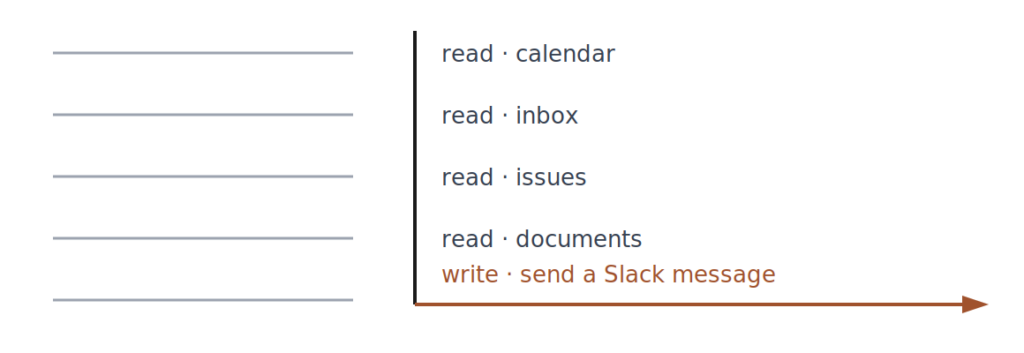
Safety — permissions you write down. Read the calendar, read the inbox, read the issues, read documents, then write by sending a Slack message. That is the core of it, autonomy is defined by a set of explicit permissions. One agent can read across systems but write in exactly one place. Ask it to file a ticket outside that scope, and it declines explicitly. Narrow permissions are what make delegation manageable and trustworthy.
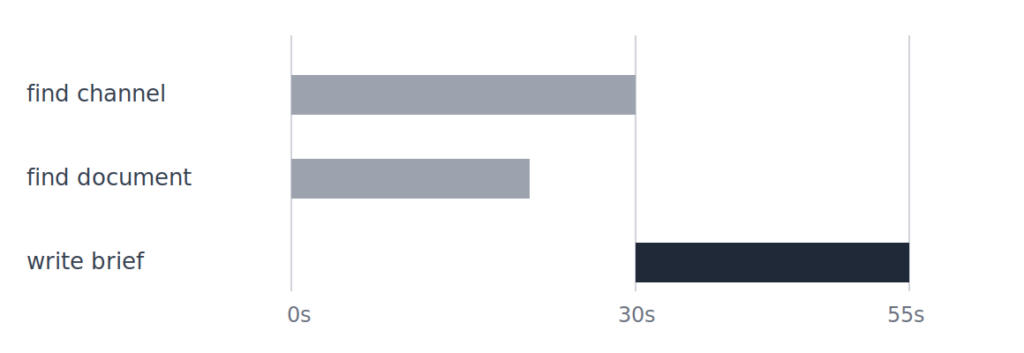
Latency — assembly you can watch. A spinner or the word “delibrating” “razzmatazing” asks for patience without providing anything in return. Instead, break the work into pieces that arrive independently, with each pane filling as its evidence becomes available, the channel at 30 seconds and the brief at 55. The wait becomes something to read rather than something to endure.
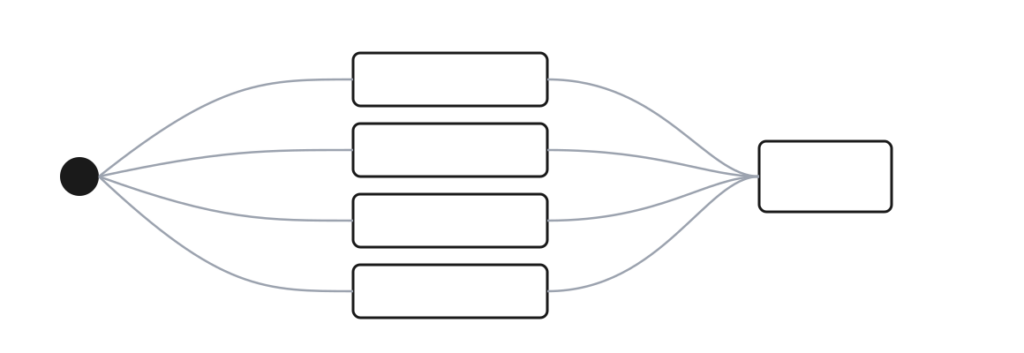
Scale — many small agents, in parallel. One objective, several small agents, each scoped to a single source, none of them requiring direct interaction, running in parallel and reporting to a single surface. Supervising an assistant is a job; reading a consolidated report is a glance.
In Closing: The Future of Computing
A big reason why Claude Code succeeded was because of their terminal capabilities. The UI was perfect for developers and engineers, which then attracted hobbyists and the general public. Sadly, while this chat based interface is great for coding, it does not serve the general-purpose users and the white-collar knowledge workers. Our hypothesis: that something like what we’ve outlined above is the next UI evolution for agents, and this is what will support use and adoption in the real and very busy, AI-overloaded world.